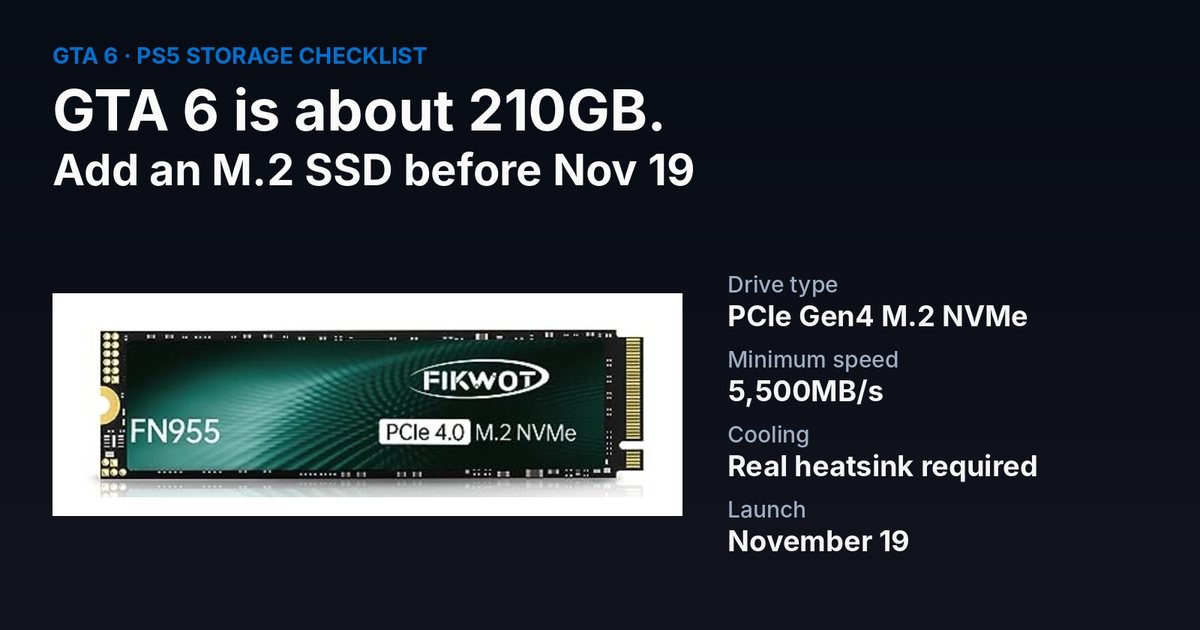
GTA 6 arrives on November 19, and at around 210GB it won't fit on a lot of nearly-full PS5s. The cleanest fix is an M.2 SSD in the PS5's expansion slot. The Fikwot FN955 is a fast, lower-cost PCIe Gen4 drive that's popular on Amazon. Here's what it is, what independent testing found, and how to fit one in a PS5.
This page has affiliate links: if you buy through them, WIZY may earn a small commission at no extra cost to you. As an Amazon Associate I earn from qualifying purchases.
Disclosure: WIZY earns a bonus commission on the Fikwot FN955 through an Amazon promotion. We haven't tested this drive ourselves; the test results below are from the independent site SSD Tester.
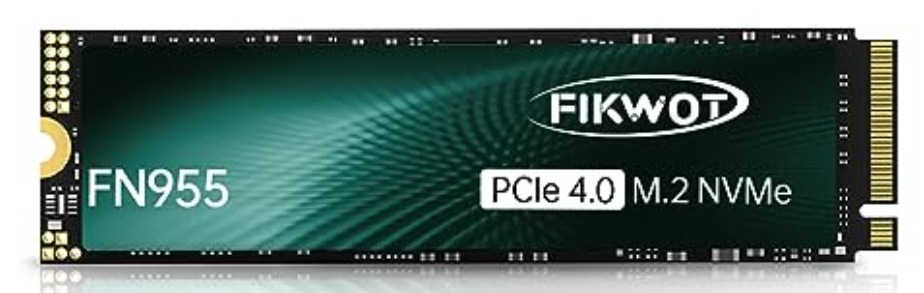
Fikwot FN955 at a glance
- Type: M.2 2280 NVMe SSD, PCIe 4.0 x4, which is the type the PS5 uses.
- Rated speed: up to about 7,300MB/s read, according to Fikwot.
- Memory and controller: TLC flash with a Maxio MAP1602 controller and no DRAM cache, which is normal for drives at this price.
- Capacities: 1TB, 2TB and 4TB.
- Price and reviews: the 1TB was $175.99 on Amazon with about 4.5 stars from 1,253 reviews when we checked on November 1. SSD prices have climbed this year along with RAM.
What independent testing found
SSD Tester measured the 2TB model at about 6,168MB/s read and 5,662MB/s write, a bit below Fikwot's advertised figures. That's normal; most drives test a little under their box numbers. More importantly, it's still above the 5,500MB/s the PS5 recommends for expansion drives, so it's fast enough for PS5 games.
Will it work in a PS5?
Yes, the PS5 accepts PCIe Gen4 M.2 NVMe drives like this one, but Sony requires the drive to have cooling. The FN955 comes with a thin graphene heat-spreading label, which is not the same as a proper heatsink. To be safe, add a slim PS5 M.2 heatsink. They're cheap and fit under the PS5's expansion slot cover. Always check Sony's official requirements first.
How to install it in a PS5
- Update the PS5 system software, turn it off fully and unplug it.
- Remove the side cover, then the small cover over the M.2 slot (one screw).
- Move the spacer to the 2280 position, insert the SSD with its heatsink, and fix it with the screw.
- Put the covers back, power on, and the PS5 will offer to format the drive.
- Go to Settings > Storage and set new installs to go to the M.2 SSD, then install GTA 6 there.
Is 1TB enough?
A 1TB drive gives you room for GTA 6 plus a few other big games. If you keep a lot of games installed, the 2TB version gives you more breathing room. You can see the Fikwot FN955 on Amazon and pick the capacity there.
My take
For a PS5 owner who just needs GTA 6 to fit, the FN955 is a sensible lower-cost choice: it's fast enough, it's widely reviewed, and independent testing backs up that it clears the PS5's bar. Just don't skip the heatsink. If you'd rather pay more for a big-name drive, Samsung and WD are the safe alternatives. Are you upgrading your PS5 storage for GTA 6?
Sources
- SSD Tester: Fikwot FN955 2TB test ssd-tester.com
- Amazon listing: Fikwot FN955 1TB (checked November 1, 2026) amazon.com

Written by the WIZY creator
A lifelong gamer and Warhammer painter from Calgary, Canada, and the maker of the Crusade Journal and the WIZY RPG game. I write about games, hardware, Warhammer and crypto in plain English, and I check every fact against its source.